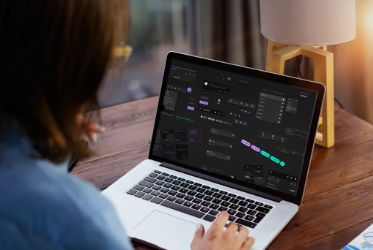
In the bustling digital landscape of the UAE, where screens are omnipresent and users spend countless hours interacting with applications and websites, user comfort has become paramount. One design trend that has rapidly gained traction, specifically aimed at improving this comfort, is Dark Mode. Far from being a mere aesthetic choice, implementing Dark Mode offers tangible benefits, from reducing eye strain and conserving battery life on OLED screens to providing a sleek, modern interface. For businesses in Dubai and across the UAE, adopting this feature isn't just about following a trend; it's about demonstrating an understanding of user needs, enhancing the user experience (UX), and potentially gaining a competitive edge in a market that values innovation and high-quality digital solutions. This article will delve into practical aspects of integrating Dark Mode into your digital products.
1. Understanding the "Why" and "When" for Dark Mode Adoption
Before diving into the "how," it's crucial to grasp the strategic reasons behind Dark Mode implementation and when it's most beneficial for your audience in the UAE.
- Prioritize User Comfort and Health: The primary driver for Dark Mode is reducing eye strain, especially in low-light environments. For users who spend long hours on devices—whether for work, entertainment, or shopping—a dark interface can significantly alleviate visual fatigue. This is particularly relevant in a region like the UAE, where mobile usage is exceptionally high, and individuals often browse content late into the night.
- Enhance Aesthetic Appeal and Brand Perception: Beyond functionality, Dark Mode lends a sophisticated and modern feel to an application or website. It can elevate your brand's perceived value, making it appear innovative and user-centric. Certain brands, especially in tech, luxury, or entertainment, find that a dark theme aligns perfectly with their brand identity, offering a premium look that resonates with a discerning audience in Dubai.
- Consider Use Cases and Context: Is your application primarily used indoors? At night? For reading extensive content? Or for creative tasks where a neutral background is preferred? Dark Mode shines in these scenarios. However, for content that relies heavily on vibrant colors or requires high contrast for readability (e.g., data-heavy dashboards for daytime use), a light mode might still be superior. Offering a toggle allows users to choose based on their preference and environment, providing ultimate flexibility.
2. Practical Design and Technical Considerations for Seamless Implementation
Once the strategic decision is made, the true work begins in the design and technical execution of Dark Mode to ensure a smooth and effective transition for users.
- Semantic Color System is Crucial: Don't just invert colors! A successful Dark Mode requires a carefully planned semantic color system. This means defining colors based on their function (e.g., primary-button-color, text-on-dark-background) rather than absolute values (e.g., blue-500). When switching to dark mode, these semantic definitions allow for automatic adjustment to appropriate dark equivalents, maintaining contrast and readability. Avoid pure black backgrounds, which can reduce readability; instead, use dark grays that offer better depth and visual comfort.
- Contrast and Readability First: The goal is to reduce glare, not visibility. Ensure sufficient contrast ratios between text and background in Dark Mode to maintain readability. Google recommends using light text colors (like light gray) on dark backgrounds, rather than pure white, as pure white on pure black can create a halo effect. Test all components, including forms, icons, and illustrations, to ensure they remain clear and usable in the dark theme. Small icons or faint lines can easily disappear.
- Gradual Implementation and User Control: For existing platforms, consider a phased rollout. Provide a clear and easily accessible toggle for users to switch between light and dark modes. Respect system-wide preferences (e.g., if a user's operating system is set to Dark Mode, your application should ideally default to it). This empowers users and allows them to customize their experience, rather than imposing a single theme. Remember to test on various devices and screen types common in the UAE to ensure consistent rendering.
3. Beyond Aesthetics: Performance, Accessibility, and Testing
Effective Dark Mode implementation extends beyond visual design to encompass performance optimization, accessibility considerations, and rigorous testing for a superior user experience.
- Performance Optimization (Especially for OLED Screens): While less relevant for LCD screens, Dark Mode can significantly extend battery life on devices with OLED displays (common in premium smartphones). This is because OLED pixels consume less power when displaying darker colors, especially true black. Optimize your dark theme to utilize true black where appropriate to maximize this benefit, without compromising readability.
- Accessibility as a Priority: Dark Mode offers accessibility benefits for users with certain visual impairments (e.g., light sensitivity, some forms of dyslexia) by reducing glare. However, it's crucial to test it against WCAG (Web Content Accessibility Guidelines) standards. Ensure that color contrast requirements are met, and that users with different vision levels can still easily perceive all interactive elements and content. Don't rely solely on color to convey information.
- Thorough Testing Across Devices and Browsers: The devil is in the details. After implementing Dark Mode, conduct extensive testing across a wide range of devices (smartphones, tablets, desktops), operating systems, and browsers. Pay close attention to how images, videos, and third-party widgets behave. Look for any unintended inversions, broken elements, or contrast issues that might detract from the user experience. Gather feedback from real users in the UAE to fine-tune the implementation before a full public release.
Building an online presence that stands out in Dubai and the UAE requires meticulous attention to user experience and modern design trends like Dark Mode. To ensure your digital platform is not only aesthetically pleasing but also highly functional and scalable, partnering with experts is crucial. A leading Website Development agency in Dubai can transform your vision into reality. For robust technical implementation, a specialized Web development agency in Dubai is indispensable. If you're focusing on compelling aesthetics and intuitive navigation, a premier Web design agency in Dubai offers unparalleled expertise. For comprehensive solutions spanning the entire nation, consider a dedicated Website Development agency in UAE, a skilled Web development agency in UAE, or a creative Web design agency in UAE to future-proof your digital success.